
How to get more Google reviews for your business
Your customers are happy. They tell you so on WhatsApp. But your Google Business Profile still shows six reviews, the newest one from last year, while the competitor down the road has two hundred. The difference is rarely the quality of the work. It’s that they ask, every time, and they make it easy. Here is how to do the same, without breaking Google’s rules.
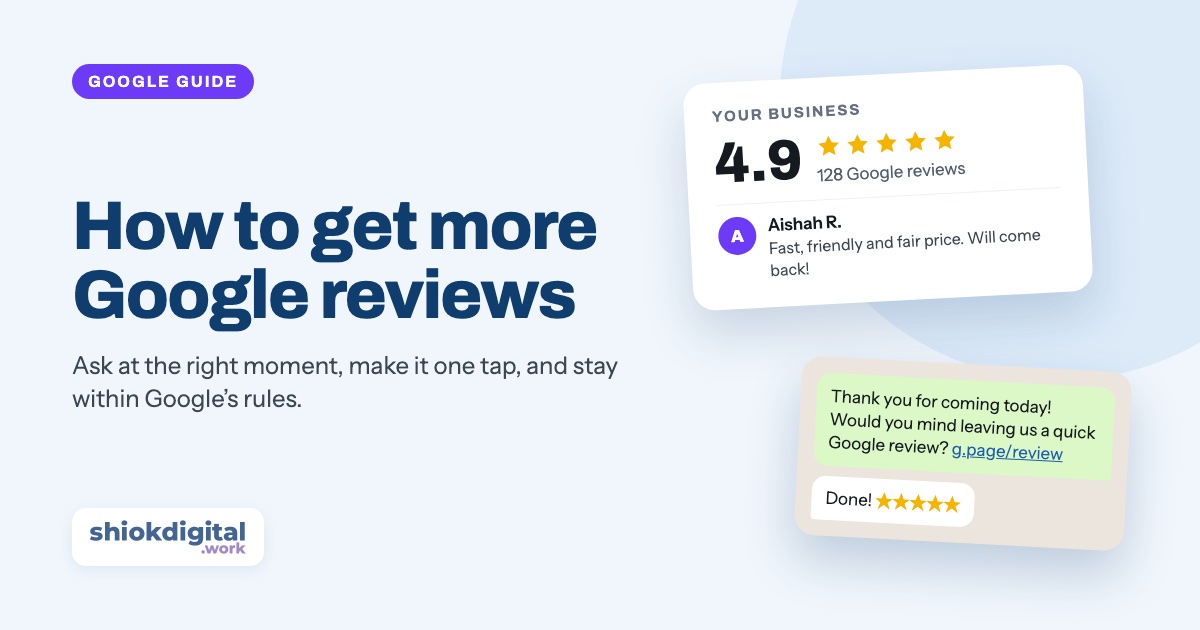
Get your review link and QR code from your Google Business Profile, then ask every customer right after a good experience, usually with a short WhatsApp message containing the link. Put the QR code at your counter and on receipts, add a review button to your website, and reply to every review. Never offer discounts or gifts for reviews, and never ask only the happy customers.
Why Google reviews matter
Reviews do two jobs at once. They convince people who find you, and they help you get found in the first place.
- Malaysians check reviews before they buy. In the Vodus Malaysia Consumer Consumption Study 2026 (3,021 Malaysians, March 2026), 63% said they seek reviews from peers or online sources before making a purchase.
- Reviews help people discover you. In a 2026 survey of Singapore and Malaysia consumers, 30% named online reviews and ratings as a way they discover brands.
- Recent reviews look more trustworthy. Every Google review shows when it was written. A profile whose newest review is from last year makes people wonder if you’re still open.
- They help you rank on Google Maps. Google explains that local results are based on relevance, distance and prominence, and that review count and rating are part of prominence.
The good news: most happy customers are willing to leave a review. They just don’t think of it unless you ask. Most businesses don’t have a review problem. They have an asking problem.
Step 1: Get your review link and QR code
Your review link takes customers straight to the “write a review” box for your business, so they don’t have to search for you on Google Maps. Google now creates both a link and a QR code for you.
- On a computer, search Google for your business name while logged in to the Google account that manages your Business Profile. (The QR code can only be downloaded on a computer, not on a phone.)
- Select Read reviews, then Get more reviews.
- Select Copy to copy your review link, or right-click the QR code and choose Save image as.
- Save the link somewhere you can find it fast, like a WhatsApp Business quick reply (see below).
Google’s own instructions are on its review link and QR code help page. Haven’t got a Business Profile yet? Start with our guide on getting your business on Google Maps.
Step 2: Ask at the right moment
The best time to ask is when the customer is happiest, which is usually within a few hours of the job being done. A week later, they’ve moved on.
- Service businesses (aircond, renovation, cleaning, repairs): right after the job, when you send the invoice or the “all done” photos.
- Clinics, salons, tuition centres: at the counter after the visit, or with the appointment follow-up message the same day.
- Restaurants and cafes: a QR code on the table or the bill, and a word from staff when a customer compliments the food.
- Online sellers and caterers: a day after delivery, once they’ve tried the product.
- Any time a customer says thank you on WhatsApp. “Thank you! Would you mind sharing that on Google?” works surprisingly well.
Ask in person first if you can, then send the link. A personal ask makes people more likely to follow through.
Step 3: Ready-to-send WhatsApp messages
WhatsApp is usually the easiest place to ask, because your customers are already chatting with you there. Keep the message short, personal and easy to act on. Replace the parts in brackets and paste your own review link.
| Language | Message |
|---|---|
| English | Hi [name], thank you for choosing [business] today! If you were happy with our service, would you mind leaving us a quick Google review? It really helps a small business like ours. [review link] |
| Bahasa Melayu | Hi [nama], terima kasih kerana memilih [bisnes] hari ini! Kalau puas hati dengan servis kami, boleh tak tinggalkan review ringkas di Google? Ia sangat membantu bisnes kecil macam kami. [link review] |
| Gentle reminder | Hi [name], just a gentle reminder about the Google review, only if you have a minute. Thank you again for your support! [review link] |
Tip: in WhatsApp Business, save the message as a quick reply (for example /review) so anyone on your team can send it in two taps. Send one reminder at most. More than that starts to feel like pressure.
Step 4: Put your review link everywhere
- At the counter: print the QR code on a small stand: “Happy with us? Scan to review us on Google.”
- On receipts, invoices and quotations, as a QR code or a short line with the link.
- On your website: a “Review us on Google” button near your existing reviews, and real reviews shown on the home page, like the reviews section on our home page.
- In your email signature and thank-you emails.
- On packaging or delivery cards if you sell products.
What Google doesn’t allow
Google takes fake and incentivised reviews seriously. Breaking these rules can get reviews removed, including real ones, and can get your Business Profile restricted. According to Google’s policy on prohibited review content, don’t:
- Offer anything in exchange for a review: discounts, free items, lucky draw entries, vouchers or cash. This applies even if you don’t ask for five stars.
- Ask only happy customers (sometimes called “review gating”), for example by asking “were you satisfied?” first and only sending the link to those who say yes.
- Review your own business, or ask staff, family or friends to do it.
- Buy reviews or swap reviews with other businesses.
- Discourage or pressure people not to leave negative reviews, or ask them to remove one in exchange for something.
Asking every customer the same way, and letting them say what they really think, is both allowed and the most effective approach in the long run.
How to reply to reviews, good and bad
Google says replying to reviews shows customers you value their feedback, and that positive reviews and helpful replies can help your business stand out. Reply to every review, and keep it personal: the same copy-paste “Thank you for your review!” under every review looks automated.
Positive reviews
Thank them by name, mention something specific, and keep it short: “Thank you, Aishah! Glad the aircond is running quietly again. See you at the next service.” Mentioning the service and area naturally (“our aircond servicing in Shah Alam”) also helps people searching for it.
Negative reviews
- Wait until you’re calm, but reply within a day or two.
- Thank them and acknowledge the problem without arguing in public.
- Explain briefly what happened or what you’ve changed, if it helps.
- Take it offline: “Please WhatsApp us at 012-xxx xxxx so we can make this right.”
Your reply is really for the next hundred people reading it. A calm, helpful answer to a bad review often builds more trust than another five-star review. If a review is fake, spam or offensive, report it from your Business Profile instead of arguing with it.
Make it a habit
One review a week beats twenty in a month and then nothing for a year, because people look for recent reviews. Pick a simple routine:
- Send the review message to every customer after every completed job or visit.
- Check new reviews once a week and reply to all of them.
- Share the best ones on your website and social media.
Reviews are also one of the seven things in our guide to getting more ROI from your website.
Want us to set it up for you?
We can add a “Review us on Google” button and your real Google reviews to your website, create a printable QR code for your counter, and help tidy up your Google Business Profile. WhatsApp us and we’ll give you one fixed price.
Frequently asked questions
Can I offer a discount or free gift in exchange for a Google review?
No. Google does not allow businesses to offer any incentive for a review, such as discounts, free items, lucky draws or cash, even if you don’t ask for a positive review. Reviews posted because of an incentive can be removed, and the Business Profile can be restricted.
Can I delete a bad Google review?
No, you can’t delete a review yourself. If a review breaks Google’s policies, for example it is fake, spam, off-topic or offensive, you can report it from your Business Profile. For genuine bad reviews, the best thing you can do is reply calmly and professionally.
How many Google reviews does my business need?
There is no magic number. Aim to have more, and more recent, reviews than the competitors that show up next to you on Google Maps. Customers can see the date of every review, so a steady flow of new reviews matters more than a big batch once and then nothing for a year.
Can my family, friends or staff leave reviews for my business?
They shouldn’t. Google’s policies ban reviews with a conflict of interest, including reviews from owners, employees and people reviewing on the business’s behalf. Ask real customers instead.
Do Google reviews help my business rank higher on Google Maps?
Yes. Google says review count and rating are part of how it judges a business’s prominence in local results, alongside relevance and distance. Google also says replying to reviews shows you value customer feedback.