
Common website problems business owners face (and how to fix them)
A customer WhatsApps you: “Your website is down.” You try to log in and the password doesn’t work. The freelancer who built it isn’t replying, and the staff member who looked after it left last year. If this sounds familiar, you’re not alone. These are the six problems we hear about most from business owners, what causes them, and how to fix them for good.
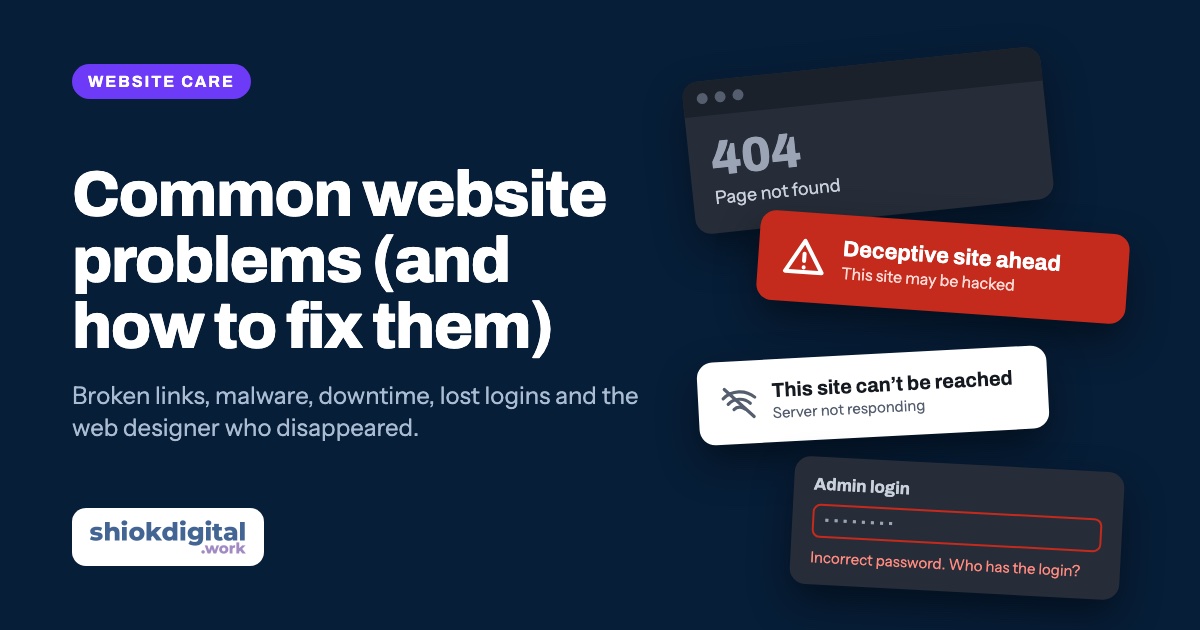
Most website problems, from broken links and malware to downtime and lost logins, happen because nobody is looking after the website after it launches. The fix is the same for all of them: make sure you own your domain, hosting and logins, keep backups, keep the software up to date, and have someone responsible for checking it every month. That is what a website care plan does.
1. Broken links and missing pages
A visitor taps “Our services” and lands on a “404 Page not found” error. Or the WhatsApp button opens a number you stopped using two years ago. Broken links make your business look closed, and every one is a customer who gives up and goes to a competitor.
Why it happens: pages get renamed or deleted without redirects, links point to other websites that have since closed, a phone number changes but nobody updates the website, or a redesign changes all the page addresses.
- Check Google Search Console regularly. The Pages report lists addresses Google tried to visit and couldn’t find.
- Redirect old addresses to the new page whenever you rename or remove a page, so old links and Google results still work.
- Tap every WhatsApp and call button after you change your number, on a real phone.
2. Malware and hacked websites
Google shows a red “Deceptive site ahead” screen before your website. Visitors get redirected to gambling or pharmacy sites. Your hosting company suspends your account. Search for your business name and Google lists pages in a language you don’t write in. These are all signs your website has been hacked.
Why it happens: in most small business cases, it isn’t a targeted attack. Automated bots scan millions of websites for known weaknesses, usually outdated plugins, themes or CMS versions, weak admin passwords, or old, forgotten copies of the site left on the server.
- Clean the site properly, not just the visible symptoms. Hackers usually leave a back door so they can return.
- Change every password: CMS admin, hosting, database and FTP. Remove admin users you don’t recognise.
- Update everything and remove plugins and themes you don’t use.
- Request a review in Google Search Console (Security issues report) once the site is clean, so the warning is removed.
A clean backup makes recovery much faster. Without one, a hacked website sometimes has to be rebuilt from scratch.
3. Website down or not available
“This site can’t be reached.” “Your connection is not private.” A blank white page. Or worse, a parking page from the domain company with ads on it. Often the business owner is the last to know, because customers just leave quietly.
Why it happens:
- The domain or hosting expired. The renewal reminder went to an old email address, or the card on file expired.
- The SSL certificate expired, so browsers show a security warning instead of your website.
- A cheap or overloaded server can’t cope, or the hosting company has an outage.
- An update or a change broke the site, often a plugin that no longer works with the rest of the system.
- Malware made the host suspend the account (see above).
How to prevent it: switch on auto-renew for your domain and hosting, make sure renewal emails go to an address you check, and use uptime monitoring that alerts you within minutes if the site stops responding. If you don’t know when your domain expires, look it up today.
4. Your freelancer or agency has disappeared
This is probably the most common story we hear. A freelancer, a friend of a friend, or a small agency built your website a few years ago. Now they’ve changed jobs, moved overseas, closed the business or simply stopped replying. You need a small change, or the website is broken, and there is nobody to call.
The bigger problem is what they may have kept: the domain registered under their name, the hosting on their account, and the only copy of the admin password.
- Find out who owns your domain. A WHOIS lookup, or asking the domain company, will tell you who the registrant is.
- Recover the accounts as the business owner. Domain and hosting companies can transfer an account to you if you can prove the business is yours, usually with your SSM registration and an IC.
- Move everything into your own name: domain, hosting, email and Google accounts. Then give your new developer access, not ownership.
Good news: a website built by someone else can almost always be taken over by a new developer. It doesn’t need to be rebuilt just because the original builder is gone.
5. The CMS or backend no longer works
You log in to update a price and the admin panel shows errors, or won’t load at all. The editor your team used is gone after a hosting upgrade. The developer used a custom system that nobody else understands. Or the website runs on software that stopped getting security updates years ago.
Why it happens: websites run on software that keeps moving. Hosting companies upgrade PHP and servers, and older websites stop working with the new versions. Plugins get abandoned by their developers. Older systems such as Joomla 3 and old PHP versions are no longer supported, which also makes them easy targets for hackers.
- Get a health check to see what version of each system the website runs and what is out of date.
- Update if you can, rebuild if you must. Sometimes careful updates bring an old site back to life. If the system is too old, a rebuild on something current is often cheaper than patching it year after year.
- Keep it simple next time. Fewer plugins and a well-known system mean any developer can maintain it, not just the person who built it.
6. Staff left and took the logins with them
The marketing executive or admin staff who handled the website has left the company. Their work email was deleted, and with it the login to the CMS, the hosting account, Google Analytics and the Google Business Profile. Nobody else knows the passwords, and password resets go to an inbox that no longer exists.
- Register accounts with a company email that the business controls, like admin@ or info@ your domain, not a staff member’s personal or named email.
- Keep a list of every website login (domain, hosting, CMS, Google, social media) in a password manager the owner controls.
- Give staff their own user accounts instead of sharing the main admin login, so you can remove their access on their last day.
- Add a second owner to Google Analytics, Search Console and your Google Business Profile.
If access is already lost, the steps are the same as for a missing freelancer: recover each account as the business owner, then set it up properly so it doesn’t happen again.
The problems at a glance
| Problem | What you notice | What prevents it |
|---|---|---|
| Broken links | 404 errors, wrong phone number, dead buttons | Monthly link checks, redirects when pages change |
| Malware | Google warnings, strange redirects, spam pages | Updates, strong passwords, security scans, backups |
| Website down | “Site can’t be reached”, security warnings | Auto-renew, uptime monitoring, decent hosting |
| Builder disappeared | Nobody to fix or change anything | Owning your domain, hosting and logins |
| Outdated CMS | Admin panel errors, can’t update content | Regular updates, a well-known system |
| Lost logins | Password resets go to a deleted email | Company email, shared password manager |
How a care plan prevents all six
Look at the table again: almost every fix is something that has to be done regularly, not once. That is why so many websites run into trouble a year or two after launch. The website was paid for, but nobody’s job is to look after it.
A website care plan gives that job to someone, for a fixed monthly fee. Instead of hunting for a freelancer when something breaks, you have someone to call when something breaks, and a small budget of changes every month. Here is how that maps to each problem:
- Malware: regular security updates close the holes that bots look for, and weekly backups mean a hacked site can be restored to a clean copy instead of rebuilt.
- Website down: when hosting and SSL are part of the plan, there is no separate hosting bill or certificate to forget, and the person fixing the problem also runs the server.
- Outdated CMS: small, regular updates keep the website working with new server and PHP versions, so it never falls years behind.
- Broken links and wrong details: with monthly change hours, updating a page, a phone number or a WhatsApp link is a quick message, not a new project.
- Freelancer disappeared: you deal with a business, not one person’s spare time, and you always know who to contact.
- Lost logins: when someone else looks after the technical side, your staff don’t need the admin passwords to get changes done, so access doesn’t walk out the door when they leave.
One thing to insist on with any provider, including us: your domain should be registered in your business’s name, and you should know where your website is hosted. A care plan should make you less dependent on one person, not more.
Shiok Digital care plans
We offer two monthly care plans for websites we build, and for websites we take over from someone else. You can also see them on our home page.
| Essential | Active | |
|---|---|---|
| Monthly price | RM99/month | RM149/month |
| Paid yearly (2 months free) | RM990/year | RM1,490/year |
| Hosting + SSL | ||
| Weekly backups | ||
| Security updates | ||
| Changes to your website | – | 2 hours every month |
| Priority response | – |
Essential (RM99/month): keep it online, safe and backed up
Essential covers the basics every website needs. Your website is hosted with an SSL certificate (the padlock in the browser), backed up every week, and kept up to date with security updates. It suits a website that doesn’t change much, like a company profile or a landing page, where what matters most is that it stays up and stays clean.
Active (RM149/month): for websites that keep changing
Active includes everything in Essential, plus 2 hours of changes every month and priority response when something goes wrong. Two hours goes further than most people expect. Typical requests include:
- Updating prices, packages or opening hours
- Adding a Hari Raya, Chinese New Year or year-end promotion
- Swapping photos, adding new projects or team members
- Changing a phone number, WhatsApp link or address everywhere it appears
- Fixing broken links or adding a redirect after a page changes
Active suits businesses whose website brings in enquiries every week, runs promotions, or simply doesn’t have anyone in-house to make changes.
Which plan should you choose?
- Choose Essential if you update your website a few times a year and mainly want peace of mind that it’s online, secure and backed up.
- Choose Active if you change content often, run promotions, or lose real business when the website has a problem.
- Pay yearly to get 2 months free on either plan.
For comparison, a single emergency fix from a freelancer, or cleaning up a hacked site with no backup, can easily cost as much as a year of Essential, and the website may be offline while it happens.
Already stuck? We can take over
If you’re reading this because one of these problems has already happened, you don’t have to start from zero. We take over websites built by other freelancers and agencies:
- Recover access. We help you work out who holds the domain and hosting and get the accounts back into your business’s name.
- Check the website. What it runs on, what is outdated, and whether there is malware.
- Fix what is urgent, so the website is online, clean and working again.
- Give you an honest recommendation: keep it on a care plan, or rebuild it if it is too old to be worth patching.
If a rebuild makes sense, our website cost guide explains what to budget. Landing pages start at RM850 and business websites from RM1,850, one fixed price.
Website giving you trouble?
Tell us what’s happening on WhatsApp: broken pages, malware warnings, a site that’s down, or logins you can’t find. We’ll tell you what we can fix and recommend the care plan that suits your website: Essential at RM99/month or Active at RM149/month, with 2 months free when you pay yearly.
Frequently asked questions
My web designer disappeared. Can someone else take over my website?
Usually yes. As long as you can get access to the domain and hosting, another developer can take over the website. If you have no logins at all, you can recover the domain and hosting accounts from the providers by proving you own the business, for example with your SSM registration.
How do I know if my website has been hacked?
Common signs are Google showing a “This site may be hacked” or red warning screen, visitors being redirected to strange websites, spam pages in Google results under your domain, new admin users you didn’t create, or your host suspending the account. Google Search Console’s Security issues report will also flag known problems.
Why does my website keep going down?
The most common causes are an expired domain or hosting plan, a cheap or overloaded server, an expired SSL certificate, a plugin or update that broke the site, or malware. Uptime monitoring tells you the moment it happens, so it can be fixed before customers notice.
What does a website care plan include?
A care plan is a monthly fee for someone to look after your website after it launches. At Shiok Digital, the Essential plan (RM99/month) includes hosting with SSL, weekly backups and security updates. The Active plan (RM149/month) adds 2 hours of changes every month and priority response.
Which care plan should I choose?
Choose Essential if your website rarely changes and you mainly want it kept online, backed up and secure. Choose Active if you update prices, promotions, photos or content regularly, or if your website brings in enquiries every day and you need problems fixed first.
Can I pay for a care plan yearly?
Yes. Paying yearly gives you 2 months free: RM990 a year for Essential instead of RM1,188, or RM1,490 a year for Active instead of RM1,788.
Do I need a care plan for a simple website?
Not always. A simple static website without a CMS needs much less looking after than a WordPress site with many plugins or an online store. Even then, someone has to keep the hosting and SSL running, keep backups and keep the domain renewed. The Essential plan covers the hosting, SSL, backups and security updates.